Resume workspace
Your career story stays coherent.
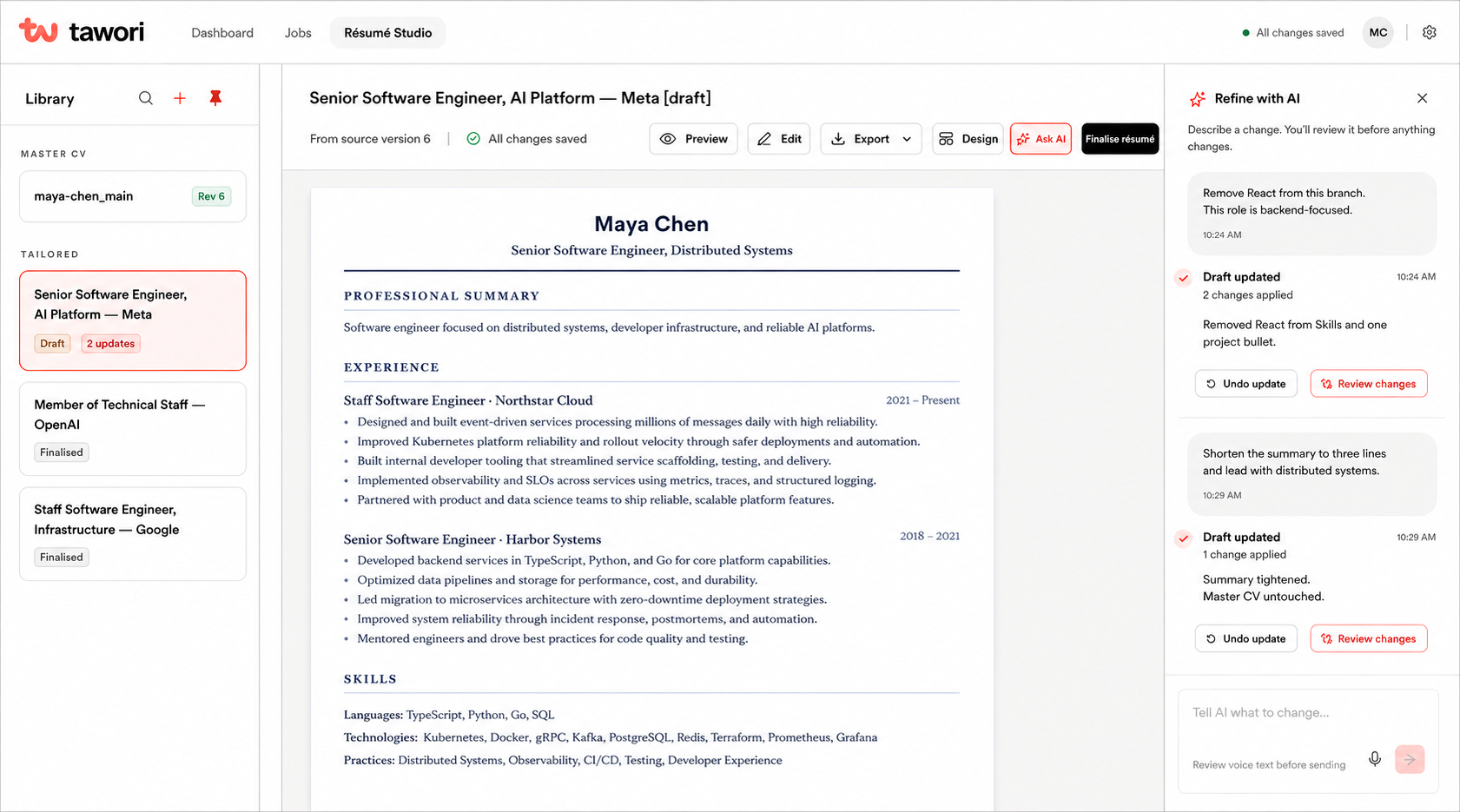
Keep one authoritative master, branch safely for each role, and refine drafts without overwriting what you submitted.
The CV workspace for software engineers
Create a branch for each role. Tell Tawori what to change in natural language. Review every diff without touching your master CV.
Private beta access
Invited testers can take one resume and one target role from evidence review to interview preparation. The allowance is enforced by the server and requires no card.
AI allowances do not reset when a resume, job, or workspace is deleted.
Tawori Job Saver
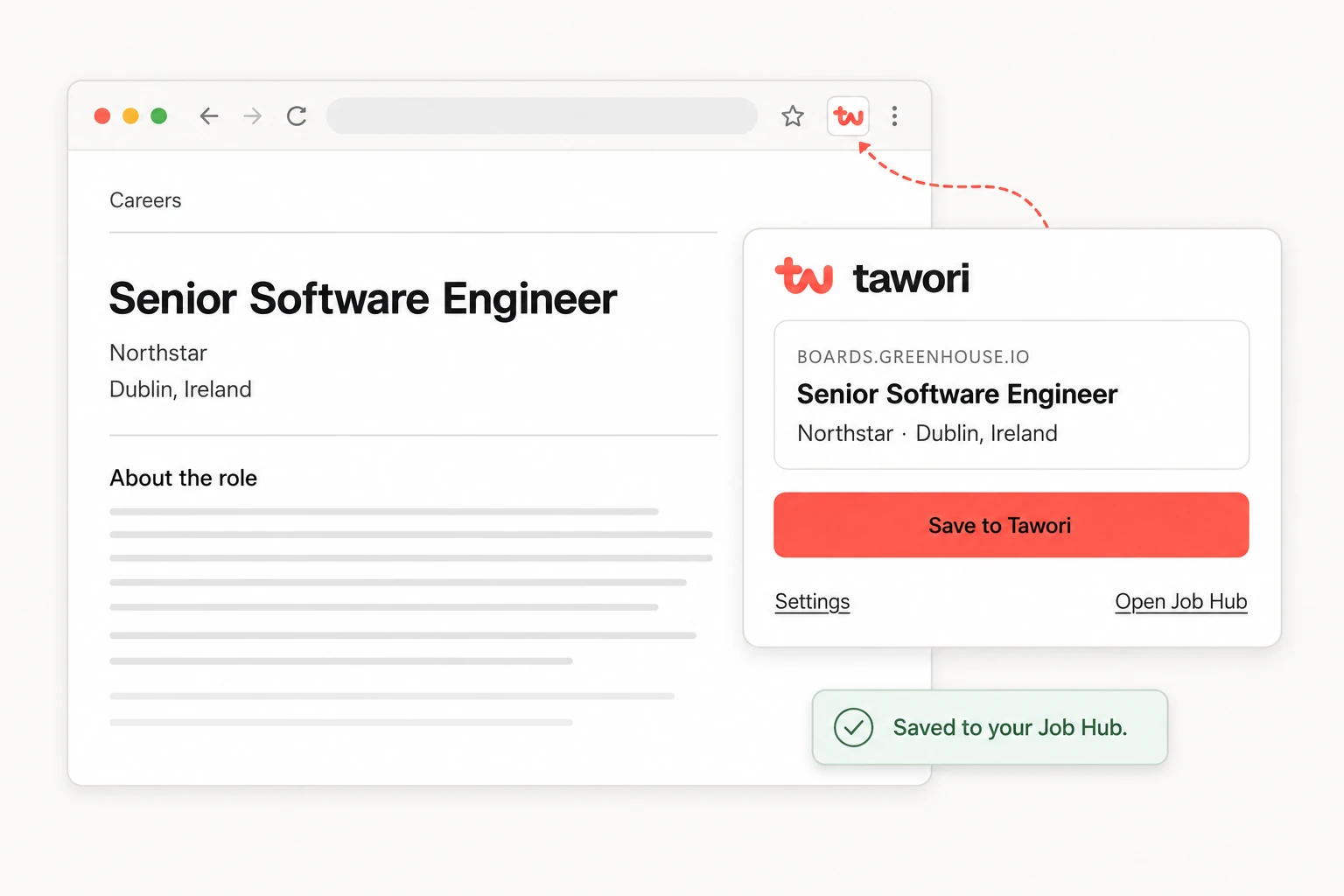
Coming to ChromeA promising role shouldn’t get lost in another tab. Our Chrome extension saves the job you’re viewing straight to your Job Hub, ready for your next application.
Chrome Web Store launch coming soon.
Works with
Plus other career sites, where supported.
The Tawori workflow
Tawori keeps each application isolated from your master CV, from the first edit to the final export.
Interview practice
Practise for the role you’re applying for, right beside your application. A place to think, sketch, and find a clearer answer.
Build your architecture on a real whiteboard. Add your reasoning, then get AI feedback on your design and trade-offs.
Open a curated set of 10 coding questions on LeetCode and solve them where you already practise.
Work through prompts with STAR guidance. Save answers that connect your experience to the conversation ahead.
A starting point for any company. Company-specific questions when reliable sources support them. General practice when they don’t.
Refine with AI
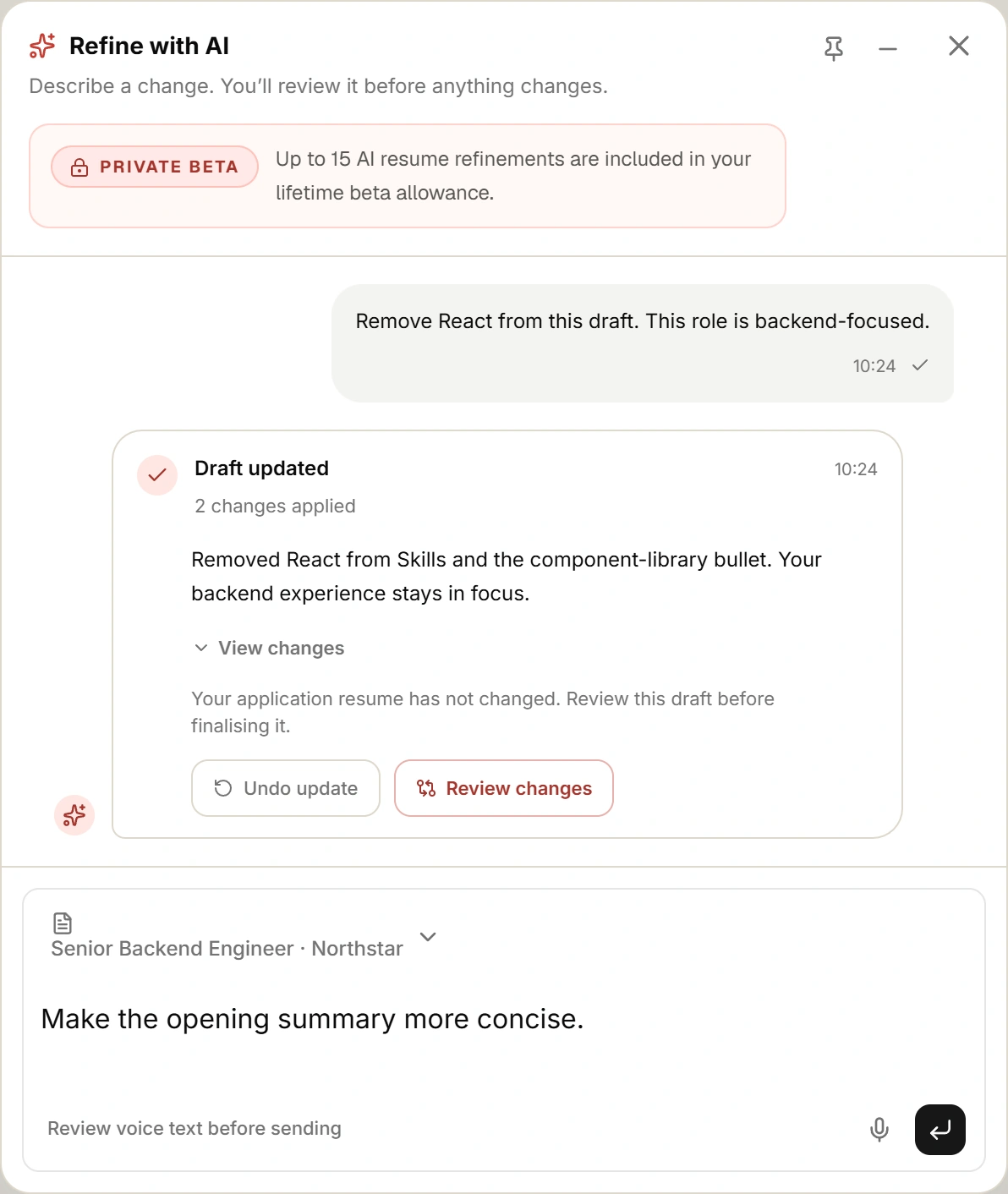
Tell Tawori what you want to change. Tighten a summary, rework a bullet, or shift the focus for a role—all in the conversation beside your draft.
Each update shows what changed. Review the diff or undo the update before finalising your application résumé.
More than a resume builder
The resume is not the finish line. Tawori keeps the evidence, decisions, submitted document, application status, and preparation together.
Resume workspace
Keep one authoritative master, branch safely for each role, and refine drafts without overwriting what you submitted.
Application tracking
The role, analysis, decisions, and finalized resume remain connected—so you can reopen what you actually sent.
Interview preparation
Turn the evidence behind your application into relevant talking points instead of rebuilding your story from memory.
Our approach
Your evidence, approval, and submitted versions remain the source of truth.
Unsupported qualifications stay visible as gaps. Tawori does not fill them with fiction.
AI proposes. You inspect, edit, accept, or reject before a draft moves forward.
Each finalized resume is preserved with the application it was made for.
Questions, answered
Yes—with Tawori Job Saver, our Chrome extension. Preview a posting and choose Save to Tawori to add it to your Job Hub. It supports LinkedIn, Indeed, Glassdoor, Greenhouse, and Lever, with best-effort capture on other career sites. The extension is not yet published in the Chrome Web Store; public installation is coming soon.
No. The workspace is designed to connect requirements to evidence you already have and to keep unsupported requirements visible as gaps.
No. The analysis is guidance for making a clearer, more relevant application—not a prediction of an ATS result, interview, or offer.
You can request private beta access on this page. We review requests and invite testers by email. An invited tester can complete one application workflow with 15 AI refinements and one interview-prep pack.
No. The private beta is free and does not ask for payment details.